
HOW TO IMPORT
All you need is to follow the following three simple steps:
Prepare:You need to prepare your word file to be formatted as in the following example for multiple choice or true and false questions. Please make sure to have the word “ANSWER” as capitalized, a space after the colon.
The first scientist to introduce the concept of inertia was A) Aristotle. B) Galileo. C) Newton. D) Copernicus. ANSWER: C
The cash budget is usually prepared after the budgeted income statement. A) True. B) False. ANSWER: B
Login: Once you have your word file formatted, login to http://import.edtechs.academy/accounts/login. In the quiz name: please name your quiz, and in quiz description, give a description to your quiz.
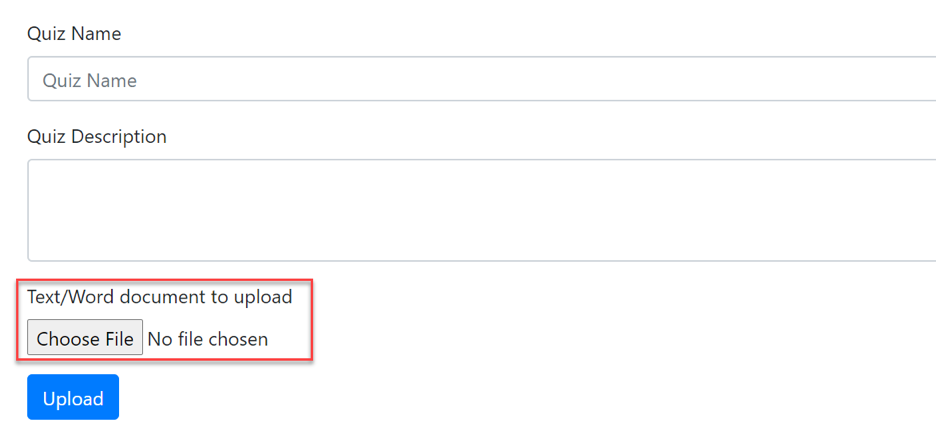
Upload: click on choose file to select your formatted word/text file then click upload
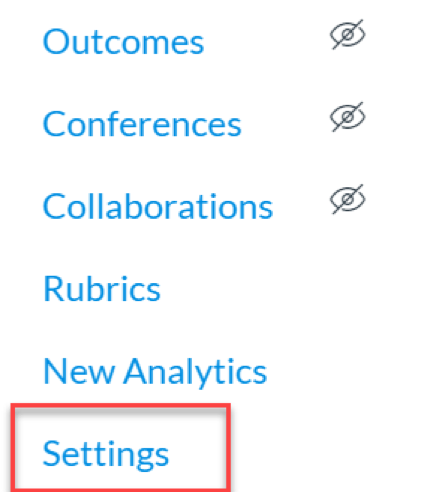
Import to Canvas:A new file is downloaded automatically on your machine in a zip format. Go to setting on your Canvas course
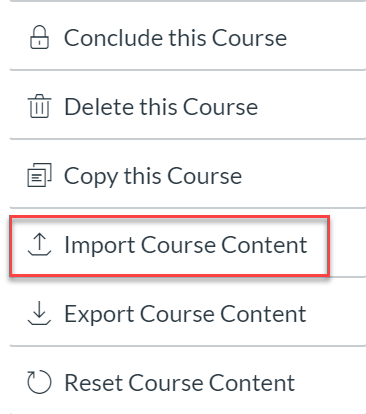
Go to import course content
In the import content, select QTI.zip file
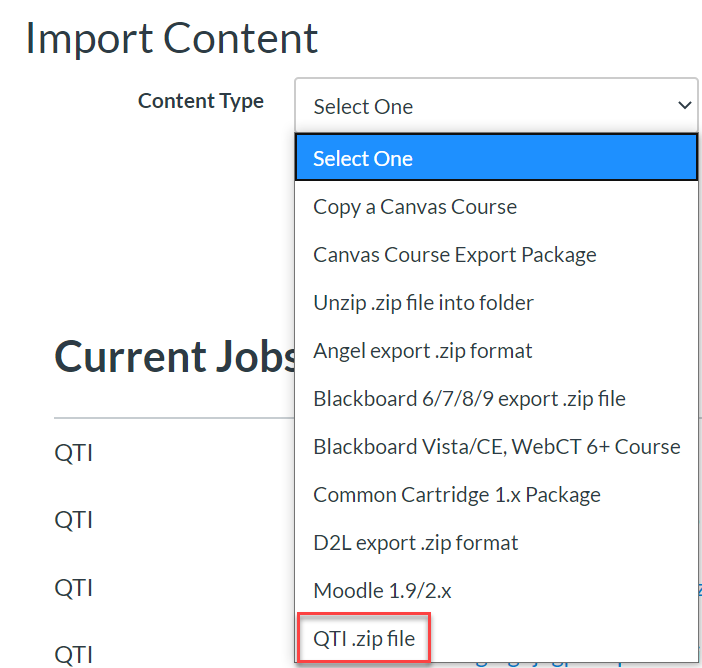
In the import content, choose the zip file which was downloaded on your machine
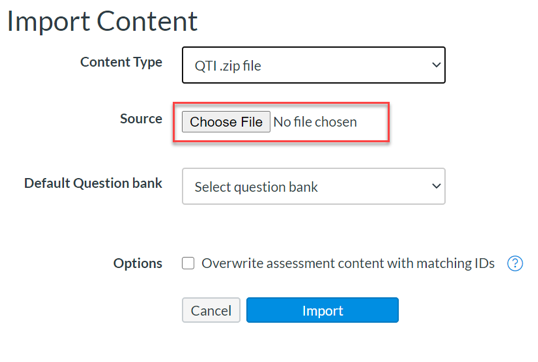
Make sure you check on Overwrite assessment content with matching IDs

and then click on import.
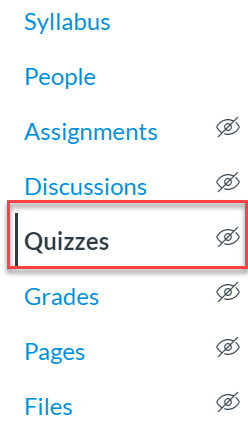
On the top right corner click on the three vertical dots and select Manage Question Banks
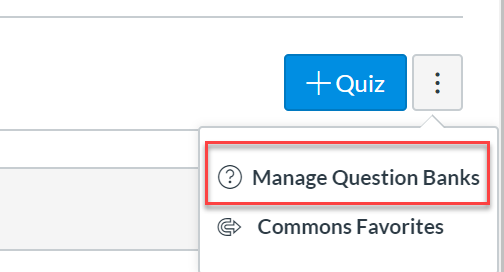
In the question bank, you will see your uploaded quiz.